
Yes, automated SMS appointment reminders reliably cut no-shows and recover lost revenue, but only when you nail three things: consent capture, calendar sync, and closed-loop confirmations. Expect measurable attendance gains once the system runs on autopilot. Skip the consent piece and you're not just risking a fine, you're risking your whole reminder program.
TL;DR:
- Automated SMS appointment reminders are most effective when capturing client consent, syncing calendars automatically, and enabling two-way replies that update appointments in real time.
- Sending multiple reminders at 72 to 48 hours and 24 hours before the appointment significantly reduces no-shows compared to single notifications.
- Compliance with TCPA requires prior express consent for automated texts, and HIPAA regulations mandate minimal message content and options for confidential communication.
- Costs vary depending on setup, monthly platform fees, and per-message charges, but in most cases, a single recovered appointment can offset the system’s expenses.
- Using a done-for-you automation service can accelerate deployment, ensure operational safeguards, and improve overall system reliability.
Table of Contents
- Why SMS Appointment Reminders Actually Work
- The Automated Reminder Workflow You Can Set Up This Week
- Copy-Ready Templates for Reminder Texts
- When to Send Reminders and How to Test Timing
- TCPA and HIPAA: The Compliance Basics You Can't Skip
- Choosing Your Tech Setup: Built-In, Platform, or Custom
- Metrics That Tell You the System Is Actually Working
- What SMS Reminders Actually Cost to Run
- How a Hands-On Automation Partner Delivers Faster Results
- Done-For-You Reminder Automation from Aiagentworx
- Sources
- FAQ
Why SMS Appointment Reminders Actually Work
Texts get read. Fast. That's the whole game. A phone call goes to voicemail, an email sits unopened for two days, but a text message gets seen within minutes on most phones. That speed is exactly why SMS beats the alternatives for something time-sensitive like an upcoming appointment.
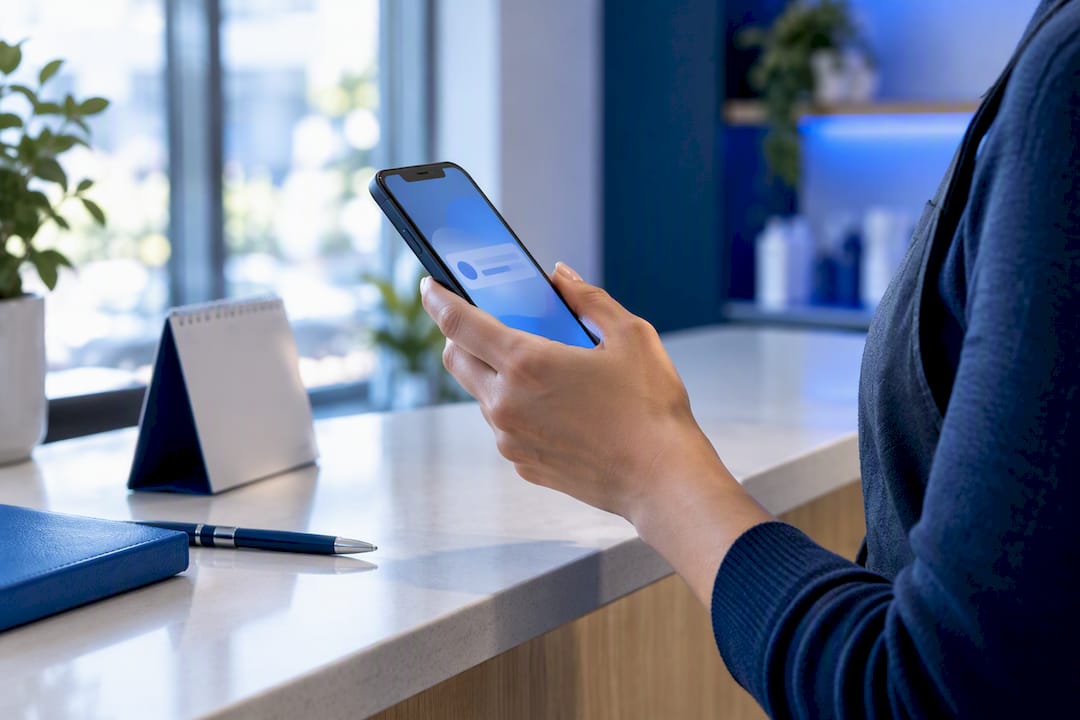
The evidence backs this up beyond gut feeling. A Cochrane systematic review found that mobile text reminders generally increase attendance at healthcare appointments compared with sending no reminder, and their effectiveness is similar to phone calls, with less staff time required. A separate BMJ Open meta-analysis found that patients receiving electronic text notifications tended to be more likely to attend appointments, and that multiple notifications tend to be more effective than a single reminder.
Statistic Callout: Research reviewed in the BMJ Open meta-analysis found multiple reminder touches outperformed single reminders across the studies examined, reinforcing why a one-and-done text is leaving attendance gains on the table.
For a service business, this isn't academic. Every no-show is an empty slot nobody else can fill on short notice. A dental office, a salon, a home services crew, a personal trainer. Same math everywhere: fewer no-shows means more billable hours without hiring anyone new.
The Automated Reminder Workflow You Can Set Up This Week
You don't need a developer team to get this running. You need a sequence, and you need it closed-loop, meaning replies actually update your calendar instead of vanishing into a text thread nobody checks.
Here's the order that works:
- Capture consent at booking. Record the client's number, the source of consent, and a timestamp, whether that's a checkbox on your booking form or a verbal yes on the phone.
- Sync the appointment to your messaging platform. Your scheduler or CRM should push the appointment details automatically, no manual copy-paste.
- Send a confirmation immediately after booking, then automated reminders at set intervals leading up to the appointment.
- Add a same-day logistics text if parking, prep, or paperwork matters for that appointment type.
- Enable two-way replies so a client can text back CONFIRM, CANCEL, or RESCHEDULE, and have that reply written straight into your calendar.
- Queue nonresponses for staff follow-up rather than assuming silence means confirmed.
That last point matters more than people think. HHS telehealth workflow guidance stresses that a delivered message isn't the same as a confirmed appointment. Your system should expect a reply or action, not just a green checkmark from the carrier. A few operational guardrails make this run smoother:
- Never let a "reschedule" reply overwrite the original slot until the new time is confirmed.
- Route free-form replies (anything outside yes/no/cancel) to a human.
- Log every consent and opt-out with a timestamp, not just a note in someone's memory.
Copy-Ready Templates for Reminder Texts
Nobody wants to write these from scratch every time. Here's a base template you can adapt in under five minutes.
- Booking confirmation: "Hi [Name], you're booked for [Service] on [Date] at [Time] at [Location]. Reply YES to confirm or CALL [Phone] to change."
- 72–48 hour reminder: "Reminder: your [Service] appointment is on [Date] at [Time]. Reply C to confirm, R to reschedule."
- 24 hour reminder: "See you tomorrow at [Time] for your [Service] at [Location/Link]. Reply if you need to change anything."
- Same-day logistics text: "Quick reminder: your appointment is today at [Time]. [Parking note / what to bring / video link]."
For a salon or spa, swap the logistics line for prep details: "Please arrive with clean, dry hair." A dental office should keep clinical detail out entirely, per HHS HIPAA guidance on appointment reminders: stick to time, location, and a callback number, never treatment specifics. A home services business benefits from adding a technician name and arrival window. A fitness studio can add a class size or cancellation cutoff.
Keep messages under 160 characters when possible, personalize with name and date/time tokens, and always give a clear reply option. That's the whole formula.
When to Send Reminders and How to Test Timing
Most businesses land on a sequence like this, and it's a reasonable starting point:
- Confirmation text immediately at booking.
- First reminder 72 to 48 hours before the appointment.
- Second reminder 24 hours out.
- Optional same-day logistics text a few hours before.
The BMJ Open review found multiple notifications outperformed a single one, which is why the 72 hour and 24 hour combination shows up so often. Voice calls sometimes edge out text in raw effectiveness, but text wins on cost and staff time, which matters more for a small operation running lean.
Pro Tip: Run a simple A/B test for one month, half your clients get reminders at 48 and 24 hours, the other half at 72 and 24 hours, then compare no-show rates. Four weeks of data beats months of guessing.
Watch quiet hours too. Nobody wants a 24 hour reminder buzzing their phone at 6 a.m. Respect time zones and build in a customer preference field if you serve clients across regions.
TCPA and HIPAA: The Compliance Basics You Can't Skip
This is the part businesses get wrong most often, and it's not complicated once you understand the two rules that actually matter.
TCPA governs consent for automated texts. FCC rulemaking requires prior express consent before sending automated texts to a phone number, and the rules cover how quickly a business must honor a revocation request once someone opts out. A more recent FCC order addressed timing on how fast revocations must be processed, which makes clear this isn't a "set it and forget it" system. You need an active suppression list, not a static one.
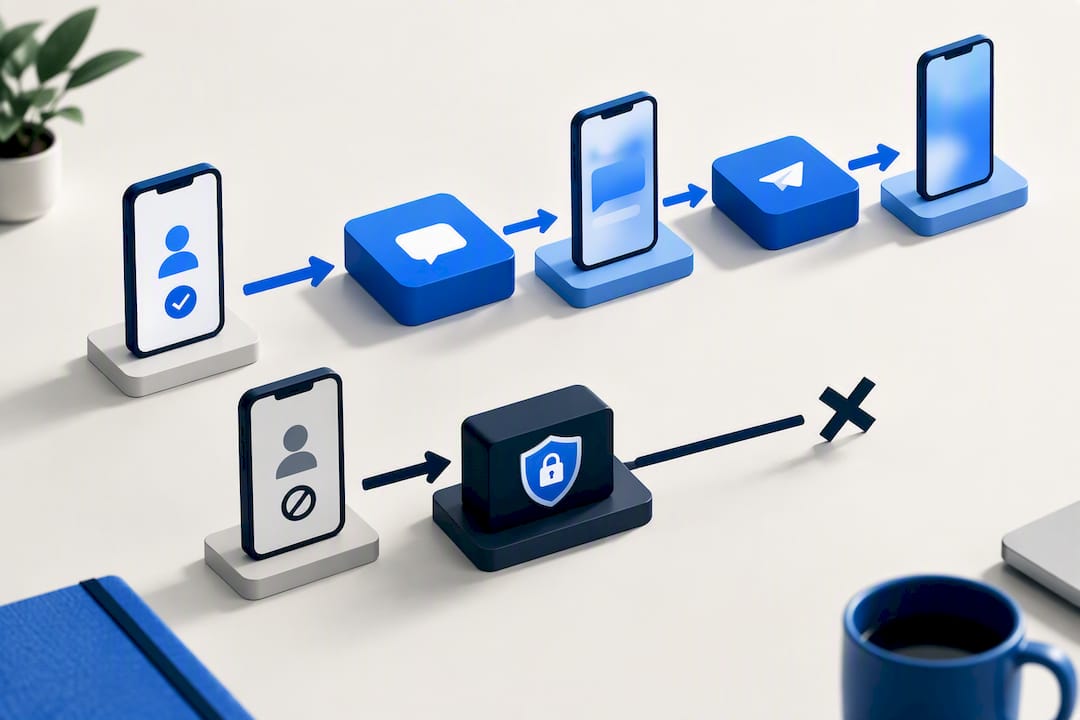
HIPAA applies if you're a covered healthcare entity. HHS guidance confirms appointment reminders don't require separate authorization for treatment-related communication, but content should stay minimal, no diagnosis, no treatment detail, just logistics.
Statistic Callout: HHS guidance specifically calls out honoring confidential communication requests, meaning a patient can ask that reminders go to a different number or channel entirely.
Practical controls that keep you safe:
- Verify the phone number at every booking, not just the first one.
- Offer a clear opt-out phrase ("Reply STOP to opt out") on every message.
- Keep a suppression list that updates in real time, not overnight.
- Store consent records with source and date for at least as long as your state requires.
Choosing Your Tech Setup: Built-In, Platform, or Custom
Three real paths exist here, and picking the wrong one wastes months.
An all-in-one scheduling tool with built-in texting is the fastest to launch, but customization is usually thin. A dedicated SMS platform gives more control over templates and two-way replies but requires a separate calendar sync. A custom API integration offers full flexibility, ideal once you're running multiple locations or complex booking rules, but it needs technical setup time upfront.
Whatever you pick, these features aren't optional:
- Two-way SMS handling with automatic calendar write-back
- Delivery receipts so you know a message actually landed
- Link tracking for confirmation clicks
- Automatic opt-out suppression across every messaging campaign, not just reminders
Before you launch, test the edge cases in a staging calendar: duplicate contacts, old phone numbers, time zone mismatches, recurring appointment exceptions, and the daylight saving transition twice a year. These quietly break more reminder systems than any single bug.
Metrics That Tell You the System Is Actually Working
Delivery rate tells you the message arrived. It doesn't tell you the client is coming. Track these instead:
- Confirmation/reply rate, the percentage of clients who actually respond
- No-show rate, before and after implementation, side by side
- Cancellations and reschedules, since a reschedule saved via text is still a saved slot
- Recovered revenue, calculated against your average appointment value
- Opt-out rate and message cost per recovered appointment, so you know the program is worth what you're paying
Run a nonresponse queue review weekly. If a segment of clients never replies, test a shorter message or an earlier send time before assuming they don't want reminders at all.
What SMS Reminders Actually Cost to Run
Setup costs vary depending on your route. A built-in scheduler feature might cost nothing extra if you're already paying for the software. A dedicated SMS platform typically runs a monthly base fee, often landing in the range most small business tools charge for messaging add-ons, plus a per-message charge that adds up fast if you're sending to a large client list. A custom API build adds upfront integration cost, usually a one-time setup fee, but can end up cheaper per message at volume.
Three cost buckets to plan for:
Setup. Whether that's a few hours configuring a template inside your existing scheduler or a proper integration project, budget for the time even if the software itself is cheap.
Monthly fees. Most platforms bill a base subscription that includes a set number of messages, then charge overage per text beyond that.
Per-message charges. This is the line that surprises people. A business sending three reminders per appointment, times a few hundred appointments a month, adds up faster than the "cheap" advertised rate suggests.
The real math isn't the sticker price of the messaging tool. It's the sticker price versus what a single recovered no-show is worth. If your average appointment nets $75 and the messaging system costs a small fraction of that per month, one saved appointment often covers the bill for weeks. Run that number for your own business before you commit to a platform, not after.
How a Hands-On Automation Partner Delivers Faster Results
Most owner-led businesses don't fail at strategy, they fail at follow-through. A typical rollout runs through discovery, consent design, calendar integration, a pilot period, staff training, and ongoing monitoring. Closed-loop automation with human handoffs on the edge cases is what separates a system that works from one that quietly breaks. That's the gap Aiagentworx exists to close.
— Brian
Done-For-You Reminder Automation from Aiagentworx
If you're comparing platforms and starting to dread the setup work, some providers offer to build and run the entire reminder system for you instead of handing you another dashboard to configure alone.

Aiagentworx's Appointment Scheduling and Customer Follow-Up service handles consent capture, calendar sync, and two-way texting from day one, paired with an AI phone receptionist that catches the calls your reminders don't, and CRM and messaging automation that keeps every reply written back to your calendar automatically. A typical pilot runs through a short discovery call, integration with your existing booking tool, and a testing window before full deployment, with the goal of fewer no-shows and hours of staff time freed up within the first month. Check out the full services overview and book a discovery call to see what a done-for-you rollout looks like for your business.
Sources
These are the primary sources behind the compliance and evidence claims in this guide:
- Telehealth
- Hhs
- Federal Communications Commission FCC 24-24
- Mobile phone messaging reminders for attendance at healthcare appointments (Cochrane review)
- Text-based electronic notifications and clinic attendance — BMJ Open
This article is general information, not a substitute for advice from a qualified doctor. Consult a qualified healthcare professional about your own circumstances before acting on anything here.
FAQ
What Are SMS Appointment Reminders?
SMS appointment reminders are automated text messages sent to clients before a scheduled appointment to confirm the date, time, and location. They typically include a reply option so the client can confirm, cancel, or reschedule without calling the business.
Are Text Appointment Reminders HIPAA Compliant?
Yes, when the message content stays limited to logistics. HHS guidance confirms reminders don't require separate patient authorization, but clinical details should never appear in the text itself, and patients can request an alternate communication channel.
How Do You Write a Good Reminder Text?
Keep it short: name, date, time, location, and a clear reply option. A working template looks like "Hi [Name], reminder: your [Service] appointment is [Date] at [Time]. Reply C to confirm or R to reschedule," adapted for your industry's specific logistics.
What Scheduling Tools Send Text Reminders?
Many booking platforms include basic text reminders as a built-in feature, though customization and two-way reply handling vary widely between them. Businesses that want full calendar sync, consent tracking, and human handoffs for edge cases often turn to a done-for-you automation setup instead of piecing together separate tools.
How Much Does an SMS Reminder System Cost?
Costs depend on message volume and setup complexity, ranging from a built-in scheduler feature with no extra charge to a paid platform with monthly fees plus per-message costs. Aiagentworx doesn't publish flat pricing for its appointment automation service, so current rates are available by request through its services page.