

Start with three automations: instant lead routing, stage-gate tasks, and auto-creating a customer record the moment a deal is Won. Get those three running and you'll see faster follow-up, fewer dropped leads, and reps spending time on selling instead of admin. Everything else, including AI personalization and conversation intelligence, layer on top once those three are solid.
TL;DR:
- Automating lead routing within five minutes of form submission can increase close rates from 12% to 32%.
- Prioritizing foundational automations like lead routing, stage-gate tasks, and auto-conversion can significantly reduce manual work.
- Testing automation workflows with a small team first prevents widespread errors and ensures smoother scaling.
- Successful rollouts focus on internal use cases before customer-facing features to minimize risks and errors.
- Hands-on configuration by an experienced partner typically results in a faster, more reliable pipeline than DIY tool shopping.
Table of Contents
- What Is Sales Pipeline Automation and Why It Matters
- Which Automations Should You Build First?
- How Do You Set Up Pipeline Automation Step by Step?
- What Metrics Prove Sales Pipeline Automation Is Working?
- What Trips Up Most Automation Rollouts?
- A 30/60/90-Day Playbook for Rolling This Out
- What Do Successful Rollouts Actually Look Like?
- How Does Automation Change What Sales Reps Actually Do?
- What's the Right Way to Roll Out AI Inside Your Pipeline?
- Why Hands-On Implementation Beats Tool Shopping
- Get Your Pipeline Automated Without Hiring an Ops Team
- Sources
- FAQ
What Is Sales Pipeline Automation and Why It Matters
Sales pipeline automation means using software rules and triggers to move deals through your pipeline without a human manually pushing every step. A new lead comes in, gets scored, gets assigned, and a task is created for the rep, all without anyone touching a spreadsheet.
The payoff shows up in four places:
- Speed to lead. Automated routing gets a rep talking to a prospect in minutes, not hours.
- Consistent follow-up. No more deals going cold because someone forgot to send the second email.
- Fewer handoffs. Deals move between marketing, sales, and customer success without manual re-entry.
- Recovered rep time. Less logging, more selling.
AI adds a layer on top of that structure: personalized email drafts, conversation intelligence that flags risk in a call, and lead scoring that gets smarter over time. But AI works best once the basic automated sales processes are already in place. Bolting AI onto a broken pipeline just automates the chaos faster.
Which Automations Should You Build First?
Not every automation deserves equal priority. Futurum Group's analysis points to three foundational moves that solve the highest-leverage bottlenecks before you touch anything else.
- Instant lead routing with an SLA. Set a rule that new leads route to the right rep within 5 minutes of form submission, based on territory, deal size, or product interest. Enforce it with an SLA: if a lead sits unassigned for more than 5 minutes, escalate to a manager or backup rep.
- Stage-gate task automation. Every time a deal moves to a new stage, the CRM should auto-create the next task. Moving to "Demo Scheduled" creates a prep task for the rep and a calendar hold. Moving to "Proposal Sent" creates a follow-up task for 48 hours later.
- Auto-convert Won deals into customer records. When a deal closes, the system should automatically spin up the customer record, trigger onboarding tasks, and notify the account manager. No copy-pasting contact details into a new system.
Once those three are running, add secondary wins: auto-logging emails and calls so reps stop manual data entry, and dormant-deal re-engagement sequences that nudge stalled opportunities back to life after 30 days of silence.
Pro Tip: Don't build all three foundational automations in the same week. Launch lead routing first, watch it for a few days, then layer in stage-gate tasks once you trust the routing logic.
How Do You Set Up Pipeline Automation Step by Step?
Before you configure a single trigger, get three things in order: clean data, defined stages, and clear ownership rules. If your pipeline stages are vague ("In Progress" tells you nothing), automation will just formalize the confusion.
Prerequisites:
- Standardize your deal stages and write down the qualification criteria for each one.
- Clean up duplicate contacts and dead leads. Automation amplifies bad data.
- Assign clear ownership: who gets which lead type, and what happens when someone's out.
Integration points that matter most: your CRM, your email and calendar system, your phone system, and if you use it, conversation intelligence software. The 2025 State of Sales report from HubSpot recommends adding AI features into tools you already use rather than bolting on new standalone software. Fewer logins, fewer failure points.
Setup sequence: map each trigger to its action, then to an owner, then to a notification, then to a log entry. A few templates to start with:
- Trigger: form submitted → Action: assign lead, notify rep by text within 5 minutes.
- Trigger: deal enters "Proposal" stage → Action: create follow-up task, send reminder in 3 days.
- Trigger: deal marked Won → Action: create customer record, fire onboarding email sequence.
Test each automation with a handful of real deals before turning it loose on your whole pipeline. A misfired trigger on 5 test deals is annoying. On 500 live leads, it's a mess.
What Metrics Prove Sales Pipeline Automation Is Working?
Track four numbers: lead response time, stage-by-stage conversion rate, time-to-first-meeting, and hours of rep time recovered per week. These tell you whether automation is actually changing outcomes or just moving work around.
The average B2B lead response time sits around 47 hours, and only 23% of companies respond within 5 minutes. That gap matters: contacting a lead in under 5 minutes produces close rates near 32%, compared to roughly 12% when the wait stretches past 24 hours, according to Optifai's benchmark study.
Automated routing closes that gap almost immediately. ArtemisGTM's benchmark research found that quick wins like auto-routing and mobile alerts can cut lead response time by roughly 80% within two weeks of rollout.
| Metric | Weak Performance | Strong Performance |
|---|---|---|
| Lead response time | 24+ hours | Under 5 minutes |
| Close rate at that speed | ~12% | ~32% |
| CRM automation adoption | a majority (average teams) | 100% (top performers, per Pipeline CRM) |
To measure your own impact, baseline your current numbers for two weeks before you flip anything on. Roll automation out to one team or territory first, measure the lift for a month, then expand. A simple ROI math: hours of admin work saved per rep, per week, multiplied by that rep's hourly cost, gives you a real number to bring to leadership.
What Trips Up Most Automation Rollouts?
The single biggest mistake is trying to automate the entire pipeline at once. Teams that succeed scope a small set of automations, measure them, then expand. Teams that fail try to wire up ten workflows simultaneously and spend the next quarter debugging conflicting triggers.
A few rules keep rollout sane:
- Sequence by impact and effort. Lead routing and stage-gate tasks come first because they're high impact and relatively low effort to configure.
- Prioritize internal-facing AI use cases, like conversation intelligence and lead scoring, before anything customer-facing. An internal tool that misfires wastes a rep's time. A customer-facing one that misfires damages a relationship.
- Train your team before launch, not after. Reps need to know what's automated, what still needs a human, and who to flag when something breaks.
- Assign clear data ownership. Someone needs to watch the automation logs weekly and catch errors before they compound.
Pro Tip: Build a fallback into every customer-facing automation. If an AI-drafted follow-up email doesn't send, a human should get an alert within the hour, not find out a week later when the lead has gone cold.
A 30/60/90-Day Playbook for Rolling This Out
- Days 1 to 30: Audit your current pipeline stages and data quality. Launch instant lead routing with SLA enforcement. Baseline your lead response time and conversion rates before anything else changes.
- Days 31 to 60: Add stage-gate task automation and auto-logging for emails and calls. Measure response time and conversion again, compare to baseline, and fix any misfiring triggers.
- Days 61 to 90: Turn on Won-deal auto-conversion into customer records, add dormant-deal re-engagement, and start testing one AI use case, like conversation intelligence, on a single team before wider rollout.
Assign one owner for the whole 90 days. Split ownership between sales and operations and things stall out.
What Do Successful Rollouts Actually Look Like?
Owner-led service businesses see the clearest wins because their volume of missed calls, unanswered forms, and slow follow-up tends to be a bigger drag than in larger sales orgs with dedicated SDR teams. A local clinic or contractor losing leads to a competitor who calls back first isn't a hypothetical. It's the most common way a small business bleeds revenue without noticing.
The pattern across benchmark data is consistent: teams that adopt CRM automation heavily convert leads at a meaningfully higher rate than teams that don't. Pipeline CRM's benchmark research found that top-performing teams create deals and log activities several times faster than average teams, and essentially all of them use CRM automation as a baseline, not an upgrade.
What that looks like in practice: a business that used to take a day or two to call back a web form lead now routes that lead to a rep's phone within minutes. A deal that used to sit forgotten in "Proposal Sent" now auto-generates a follow-up task after 48 hours. A closed deal that used to require someone remembering to set up the new customer in three different systems now does it automatically the moment the deal is marked Won.
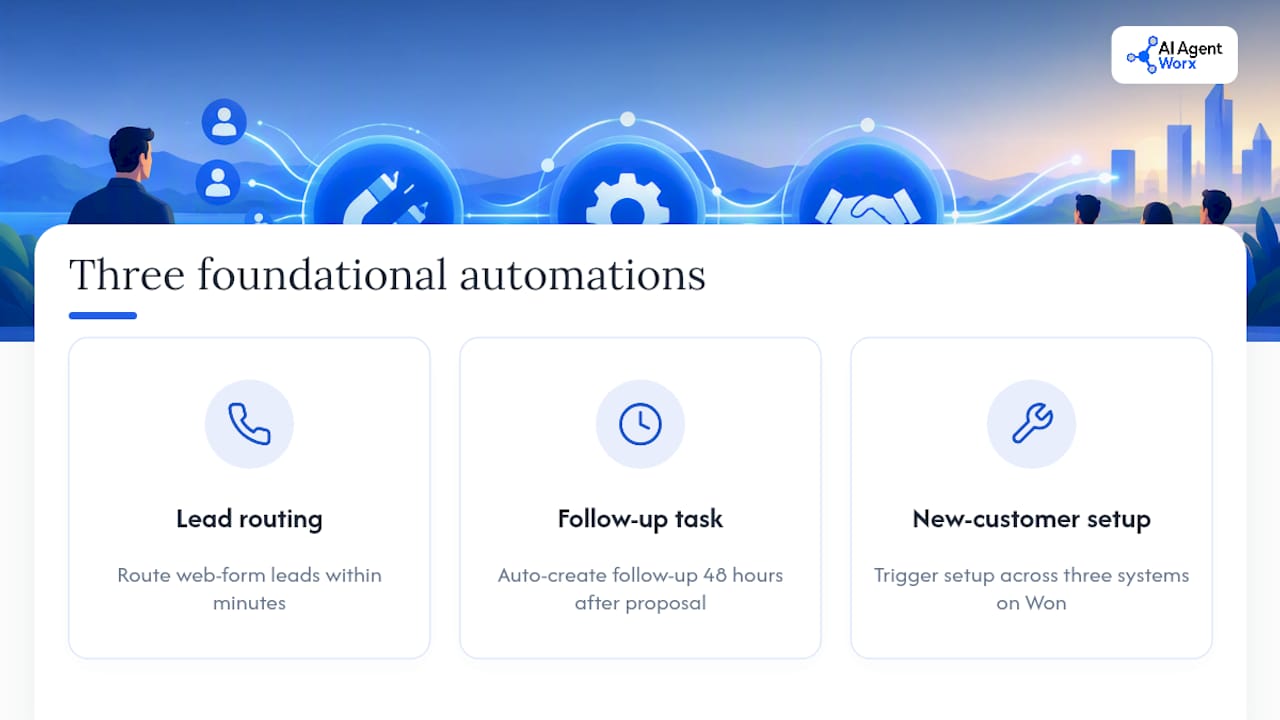
None of this requires exotic technology. It requires the three foundational automations built correctly, tested on real deals, and given time to prove themselves before adding more complexity on top.
How Does Automation Change What Sales Reps Actually Do?
Automation shifts reps away from administrative work and toward the parts of selling that actually require a human: building rapport, handling objections, and closing. A rep who used to spend an hour a day logging calls and updating deal stages gets that hour back for prospecting or deeper account work.
It also changes what managers watch. Instead of asking "did you call that lead back yet," a sales manager can look at a dashboard showing lead response time and stage conversion in real time. That shifts coaching conversations from chasing compliance to actually improving technique. Reps stop being data-entry clerks and start being followed by a system that handles the repetitive parts for them.
There's a role shift worth naming honestly: some tasks that used to belong to junior reps or sales ops (logging activity, manually assigning leads, chasing stalled deals) get absorbed by automation. That doesn't eliminate those roles. It usually redirects them toward higher-value work, like managing the automation itself, refining lead scoring criteria, or handling the exceptions the system flags. Teams that treat automation as a tool for their people, not a replacement for them, tend to get the smoothest transition.
What's the Right Way to Roll Out AI Inside Your Pipeline?
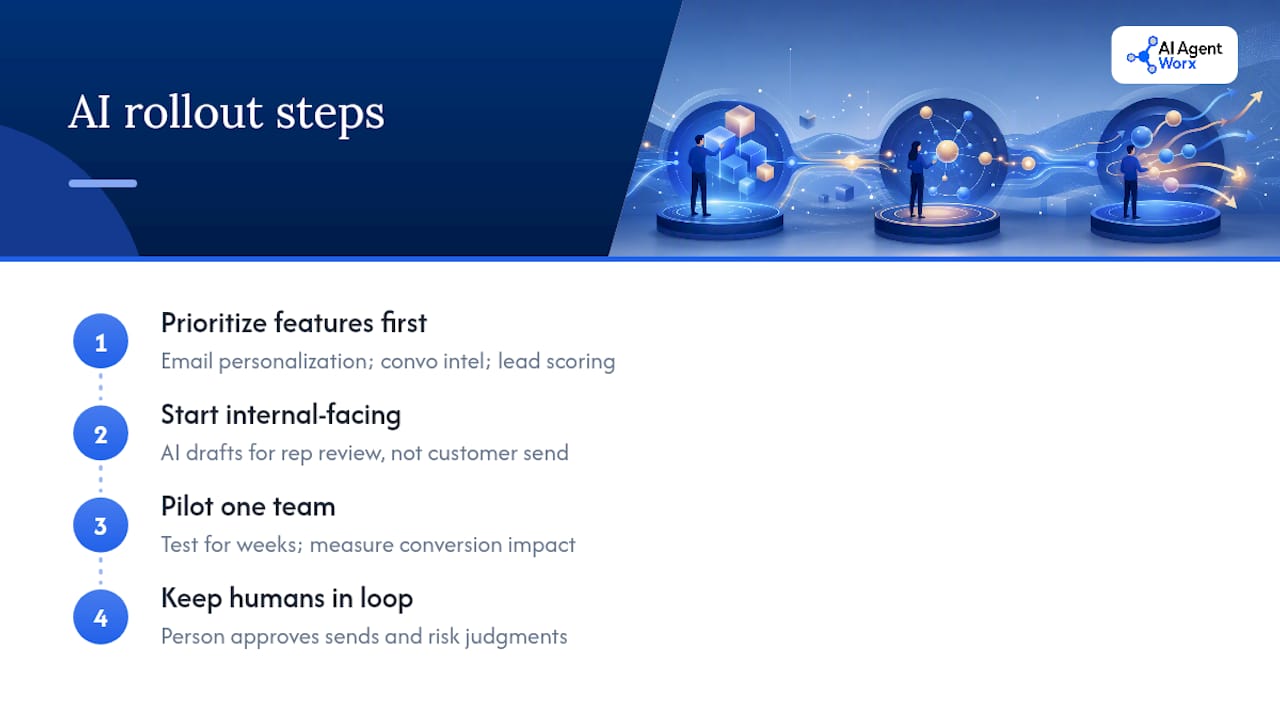
Add AI features to the tools your team already uses instead of stacking on new standalone platforms. HubSpot's 2025 State of Sales research recommends prioritizing low-effort, high-impact use cases first: email personalization, conversation intelligence, and lead scoring. These sit inside your existing CRM and email tools rather than requiring reps to learn a new interface.
Start internal-facing before customer-facing. Let AI draft a call summary for your rep to review, rather than letting AI send an unreviewed message straight to a prospect. That order matters because early AI outputs aren't always right, and an internal error costs you a few minutes, while a customer-facing error can cost you the deal.
Roll out to one team first. Test conversation intelligence or lead scoring with a single group for a few weeks, measure whether it actually changes conversion or just adds noise, and only then expand. Teams that skip this step and roll AI out company-wide on day one tend to spend the following quarter walking back changes that confused more people than they helped.
Keep a human in the loop for anything that touches customer communication directly. AI can draft a personalized outreach email or flag deal risk in a call transcript. A person should still be the one hitting send or making the judgment call on a stalled deal. That's not caution for its own sake. It's what keeps AI adoption from turning into a customer experience problem six months down the road.
Why Hands-On Implementation Beats Tool Shopping
Most sales teams don't fail at automation because they picked the wrong software. They fail because nobody actually built the workflows, tested them, and fixed what broke. Buying a platform isn't the same as having a working pipeline. The gap between "we have the tool" and "the tool actually runs our process" is where most automation projects die.
That's the case for hands-on setup over another round of tool comparisons. A CRM automation build that someone actually configures, tests on real deals, and adjusts after two weeks of data beats a shiny dashboard nobody finished wiring up. If your team doesn't have the bandwidth to do that configuration work internally, that's worth admitting early, not after three months of stalled rollout.
— Brian
Get Your Pipeline Automated Without Hiring an Ops Team
You don't need to hire a sales ops person or spend a quarter fighting with workflow builders to get this running. A hands-on implementation partner can build and configure the automation for you: lead routing, stage-gate tasks, and Won-deal triggers set up, tested, and handed off working, not left as a half-finished template.

That's the real difference between reading about pipeline automation and having it running by next month. Our CRM, Messaging & Nurture Automation service handles the configuration work directly inside the CRM you already use, and our appointment scheduling and follow-up automation closes the loop between a booked meeting and a logged deal. If your team is stretched thin and the pipeline keeps leaking leads while everyone's busy, hiring a hands-on implementation partner can get you running more quickly than a stalled internal project. Check out our full service catalog and book a discovery call to see what a working setup looks like for your business.
Sources
- Lead response time benchmark — Optifai
- AI agents take center stage — Futurum Group
- 2026 GTM benchmark study — ArtemisGTM
- 2025 State of Sales — HubSpot (excerpt)
FAQ
What Are the 5 Stages of a Sales Pipeline?
Most pipelines follow five stages: lead/prospecting, qualification, proposal or demo, negotiation, and closed (won or lost). The exact labels vary by business, but the core idea stays the same: each stage represents a specific level of buyer commitment, and automation should trigger different tasks at each one.
What Is an Automation Pipeline?
An automation pipeline is a connected sequence of triggers and actions that move a deal, lead, or task forward without manual intervention at each step. In sales, that usually means a new lead automatically gets routed, scored, and assigned, then generates follow-up tasks as it moves through each stage.
What Is the Pipeline Method of Sales?
The pipeline method organizes deals into visible stages based on how far along the buyer is in their decision process, giving reps and managers a clear view of what's coming and what's stuck. Sales pipeline automation builds on this by adding rules that move deals and tasks forward without someone manually updating every record.
How Do You Generate a Sales Pipeline?
You generate a pipeline by combining lead sources (inbound forms, outbound prospecting, referrals) with a qualification process that filters who's worth pursuing. Automating the routing and follow-up on those leads matters as much as generating them. Contacting a lead within 5 minutes produces close rates near 32%, compared to roughly 12% when the response takes more than 24 hours.
How Much Does Sales Pipeline Automation Cost to Implement?
Cost depends on whether you build it internally or bring in an implementation partner. Aiagentworx doesn't publish flat pricing since builds are scoped to each business, but current details are available through a discovery consultation.