
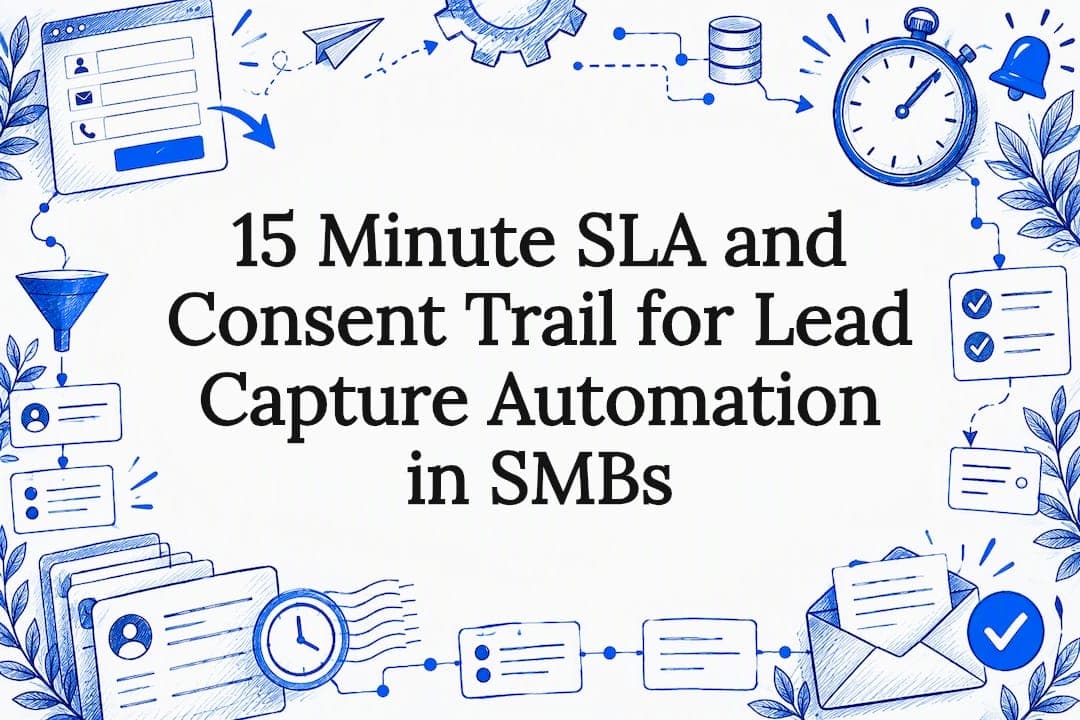
Lead capture automation automatically collects contact intent, qualifies it, routes it to the right person, and kicks off follow-up. That means small and medium businesses respond faster and close more of what comes in. It only works if consent gets logged right from the first click, since email, SMS, and calls all carry their own compliance rules.
TL;DR:
- Speed of routing and immediate acknowledgment significantly increases conversion rates by ensuring hot leads are contacted within minutes rather than hours.
- Proper consent logging, timestamping, and active suppression lists are legally essential and protect against regulatory actions, especially for calls and texts.
- Starting with a simple automation flow focused on one trigger and clear SLA enforcement can be built in weeks, with scaling requiring more robust integration and compliance measures.
- Accurate lead scoring combining behavioral and firmographic signals improves qualification accuracy and prevents sales teams from chasing unlikely buyers.
- Measuring key metrics such as response time, lead-to-opportunity rate, and cost per lead guides iterative improvements and maximizes automation ROI.
Table of Contents
- What lead capture automation actually does
- How to set up lead capture automation step by step
- Compliance, consent, and recordkeeping for email, SMS, and calls
- What to require from lead capture tools and vendors
- How to measure and improve lead capture performance
- How hands-on implementation actually works for SMBs
- Our take: fix the SLA and the consent trail first
- How we can help with lead capture automation
- FAQ
- Sources
What lead capture automation actually does
Think of it as a pipeline, not a single tool. Four steps, each one feeding the next: capture, qualify, route, nurture.
Capture is the entry point. Someone fills a form, texts a keyword, or clicks a chatbot button, and that action gets logged with whatever context you can grab (source, page, timestamp). Qualification comes next: scoring based on fields filled, behavior, or firmographic data tells you whether this is a hot lead or a tire-kicker. Routing sends the qualified lead to the right person or team, fast. Nurture picks up everyone else with a drip sequence that keeps them warm until they're ready.

Here's the part people miss: speed at the routing step isn't a nice-to-have. Research on contact center service levels shows that staffing and responsiveness directly affect how many contacts turn into conversions. A lead that sits in an inbox for six hours is a cold lead. One that gets an automatic acknowledgment in sixty seconds, then a human follow-up within the hour, behaves completely differently.
The compounding effect is real too. Each of those numbers moves independently, but improve all three by even a little and your overall lead-to-customer rate can jump in a way that no single fix would deliver on its own. That's why the best SMB automations treat the whole chain as one system instead of optimizing a landing page in isolation and calling it done.
Qualification deserves its own mention because it's where a lot of automation falls apart. A scoring model that just counts form fields filled out isn't qualification, it's data entry. Real scoring weighs intent signals: did they request a quote, book a call, or just download a PDF? Did they visit the pricing page three times this week? Automation platforms that let you combine behavioral and firmographic data into one score save your sales team from chasing leads that were never going to buy.
Routing and nurture work as a pair. Not every lead deserves an immediate phone call. The ones that do need to hit a rep's queue in minutes, not hours, while everyone else slides into an email or SMS sequence that keeps the conversation going without burning sales time. Getting that split right is most of the value.
How to set up lead capture automation step by step
Building a working system doesn't require a massive rollout. Most SMBs can get a minimum viable automation running in a couple of weeks if they follow a sequence instead of trying to automate everything at once.
- Define the outcome and required fields. Decide what "qualified" means for your business and the minimum data you need to act on a lead (usually name, contact method, and one intent signal).
- Map the customer journey. Sketch every point where someone could show interest, from a Google ad click to a walk-in inquiry, so you know what needs to feed the system.
- Build the MVP flow. Start with one trigger (a form submission, for example), one action (create a CRM record), one routing rule (assign to the rep on call), and one nurture step (an automatic email or text acknowledgment).
- Enforce routing SLAs. Set a hard rule, like "qualified leads get a call attempt within 15 minutes during business hours," and build an alert that fires if that window gets missed.
- Set up lead scoring. Even a simple point system (5 points for a pricing page visit, 10 for a demo request) helps your team prioritize without manual triage.
- Build suppression lists. Maintain a list of contacts who've opted out, bounced, or asked not to be contacted, and check every outbound send against it automatically.
- Test the full flow end to end. Submit a test lead yourself and watch it move through capture, scoring, routing, and the first nurture touch before you go live.
- Verify consent capture and the audit trail. Confirm that your forms log the exact consent language shown, the timestamp, and the channel, since this becomes your proof of compliance later.
- Run a soft launch. Send a small amount of traffic through the system first, watch for broken steps, and fix before scaling up.
- Measure and adjust. Track response time and conversion rate from week one, since those two numbers tell you faster than anything else whether the system is working.
Pro Tip: Build your MVP with one trigger and one path before adding branching logic. A system with five rules you understand beats one with fifty you don't.
The SLA step is the one SMBs skip most often, and it's the one with the biggest payoff. A routing rule without an enforced time window is just a suggestion. Pair it with an alert (a text to the rep, a Slack ping, whatever gets noticed fastest) and you turn "someone should call this lead soon" into something that actually happens.
Compliance, consent, and recordkeeping for email, SMS, and calls
Automation makes it easy to contact more leads, faster. It also makes it easy to break the law faster if consent isn't built into the system from day one.

For commercial email, the CAN-SPAM Act requires a clear opt-out mechanism in every message, and businesses must honor opt-out requests within 10 business days. You can't charge a fee or demand extra information just to let someone unsubscribe.
Opt-out requests must be honored within 10 business days under CAN-SPAM, and that clock starts the moment the request comes in, not when you get around to processing your suppression list.
Calls and texts carry a stricter standard. The FCC's updated order requires one-to-one prior express written consent for telemarketing robocalls and robotexts, meaning each seller needs its own separate, documented consent rather than relying on a blanket agreement collected by a third party. That same order also extended do-not-call protections to text messages and tightened recordkeeping expectations across the board.
What that means in practice for your recordkeeping:
- Store the exact disclosure text shown to the lead at the moment of consent, not a paraphrase.
- Log the timestamp, channel, and purpose of the consent (email, SMS, or call, and what it covers).
- Maintain an active suppression list and check every send against it before it goes out.
- Run Do Not Call checks against your outbound call and text lists on a recurring basis, not just once.
- Keep the lead ID linked to its consent record, so if a complaint comes in, you can produce proof in minutes, not days.
The FTC has already gone after businesses that skipped these basics. A recent settlement banned a California-based lead generator from making or assisting with telemarketing calls after it ran what regulators described as a consent-farming operation, collecting and reselling leads without proper disclosure. If you're buying leads from a third party instead of capturing them yourself, that consent chain is now your liability too.
What to require from lead capture tools and vendors
Whether you build this yourself with a stack of connected tools or hire someone to implement it, the feature list doesn't change much. Here's what actually matters.
- Consent logging: every form and call flow should capture and store the exact consent language, timestamp, and channel automatically.
- Native CRM integration or open webhooks: leads should land in your system of record without a manual export step.
- Flexible routing logic: rules based on lead score, territory, or rep availability, not a single fixed inbox.
- Two-way messaging: the ability to text or email back from the same thread a lead used to reach you, not a one-way blast tool.
- Audit logs: a record of who touched a lead, when, and what changed, so you can reconstruct the full history if needed.
- Duplicate detection: automatic merging or flagging of repeat submissions so sales isn't calling the same person three times.
- Suppression list import and export: easy to add opted-out contacts and pull your current list for review.
- SLA enforcement and alerting: built-in timers that flag or escalate a lead that hasn't been touched within your target window.
Before signing anything, ask a few direct questions. How exactly is consent captured and stored, and can you export that record in a format that would hold up if a complaint came in? How long is data retained, and what happens to it if you cancel? What does support look like when something breaks at 5 p.m. on a Friday? Vendors that dodge the consent question entirely are a red flag, since the FTC's own research on the lead marketing ecosystem points to exactly this gap as where consent farms operate. Buying bulk leads without clear provenance or per-seller consent is a real risk, and first-party capture or carefully vetted partners beat volume every time.
How to measure and improve lead capture performance
You can't fix what you don't measure, and lead capture automation gives you more data than most SMBs know what to do with. Focus on the handful of numbers that actually move revenue.
- Capture rate: the percentage of visitors or contacts who start the capture process relative to total traffic.
- Lead-to-opportunity rate: how many captured leads turn into a real sales conversation.
- Lead response time: the gap between capture and first human contact, which service-level research ties directly to conversion outcomes.
- Cost per lead (CPL): total spend divided by leads captured, tracked by channel so you know where the budget works hardest.
- Contact rate: the share of leads you actually reach, as opposed to ones that go to voicemail or bounce.
- Unsubscribe and complaint rate: a rising number here is often the first sign that your targeting or frequency is off.
Once you've got a baseline, run small experiments instead of overhauling the whole system. Try cutting a form from six fields to three and watch capture rate move. Swap a generic "Submit" button for specific CTA copy like "Get My Quote." Change a routing rule so leads under a certain score go straight to nurture instead of a rep's queue. Tighten your response SLA from 30 minutes to 15 and see if contact rate improves.
Prioritize whatever touches revenue fastest. A field reduction that lifts capture rate by a few points matters less than fixing a routing rule that's been sending hot leads to an inbox nobody checks. Fix the leaks closest to the money first.
How hands-on implementation actually works for SMBs
Most of what's outlined above is doable in-house if you've got the time and someone comfortable wiring together a CRM, a form tool, and a messaging platform. Plenty of SMB owners get a workable MVP running themselves over a few weekends.
Where that breaks down is scale and compliance. Once you're pulling leads from five channels, routing by territory, and need an audit trail that would hold up if a complaint landed on your desk, the DIY version starts needing full-time attention. That's the point where a hands-on build makes more sense than another month of trial and error.
A typical done-for-you implementation runs through discovery, build, integrate, and monitor. Discovery maps your current lead sources and where leads are getting lost. Build means setting up the actual capture forms, scoring rules, and routing logic rather than just recommending them. Integrate connects everything to your CRM and messaging stack so leads flow without manual handoffs. Monitor means someone is watching response times and fixing broken steps after launch, not just handing over a dashboard and disappearing.
We build these systems specifically for owner-led businesses, which usually means fewer dashboards and more "it just routes to my phone and texts the lead back automatically." Our lead generation and customer acquisition work ties directly into appointment booking and CRM follow-up, so a captured lead doesn't sit in a queue waiting for someone to notice it.
Our take: fix the SLA and the consent trail first
Most SMBs chase new lead sources before fixing what happens after capture. Wrong order. A faster CTA or a shinier form does nothing if a hot lead sits for six hours before anyone calls. Fix your response SLA and your consent logging before you spend another dollar on traffic.
Keep verifiable consent records and an active suppression list. Regulators are enforcing this now, not just writing about it. Run a small pilot, instrument your metrics, and go from there.
— Brian
How we can help with lead capture automation
Building and maintaining all of this yourself takes real time, and most SMB owners we talk to would rather be running their business than debugging a webhook. We build done-for-you lead capture and follow-up systems that pair with appointment scheduling, CRM and nurture automation, and workflow automation so a lead gets captured, qualified, and followed up on without you touching a spreadsheet.

If the checklist above feels like more than you want to own internally, a short discovery call is the fastest way to find out what a built system would actually look like for your business. Check out our full range of services to see what fits.
FAQ
What is lead capture automation?
Lead capture automation is software that collects contact information and intent signals, scores how qualified a lead is, routes it to the right person, and starts follow-up without manual steps. The goal is faster response and fewer leads lost to delay or human error.
How do I automate lead capture for a small business?
Start with one channel, usually your website form, and connect it to a CRM so every submission creates a record automatically. Add a routing rule and an automatic acknowledgment, then layer in scoring and nurture sequences once the basic flow is tested and working.
Is automated lead follow-up legal for texts and calls?
Yes, but it requires proper consent. The FCC's one-to-one consent rule requires separate, documented written consent for each seller before sending telemarketing texts or robocalls, and that consent needs to be stored with a timestamp and the exact disclosure language shown.
What metrics show lead capture automation is working?
Track lead response time, lead-to-opportunity rate, and cost per lead as your core three. A faster response time is consistently tied to better contact and conversion outcomes, making it one of the highest-leverage numbers to improve first.
Should I build lead capture automation myself or hire someone?
A simple MVP with one channel and one routing rule is reasonable to build in-house. Once you're managing multiple channels, scoring, SLA enforcement, and a compliance-ready audit trail, a hands-on implementation like the lead generation and automation services we build often saves more time than it costs.
Sources
Lead capture automation is only as good as what feeds it. Most SMBs end up pulling from more channels than they initially planned for, and each one behaves a little differently.
On the integration side, plan for a CRM that can receive leads automatically, webhooks that push data between tools in real time, an automation platform (think Zapier, Make, or a CRM's built-in workflow builder) that handles the routing logic, and a telephony provider if calls or texts are part of your funnel. The fewer manual exports and CSV uploads in your process, the fewer leads fall through the cracks.
One decision worth making early: how much to capture up front versus enrich later. Requiring eight fields on a first form kills conversion. A better pattern is to grab the minimum (name, email or phone, and one qualifying question) and enrich the record later through follow-up questions, a CRM lookup, or a second-step form once the lead has already committed. Business process automation guides built for growing companies tend to echo the same point: automate the easy data first, chase the rest downstream.