
For most small service businesses, a hybrid AI plus live fallback after-hours call answering workflow captures the most leads at the best cost. It beats plain voicemail on conversions and beats a 24/7 human team on price. Start today by pulling 30 to 90 days of call logs so you know when calls actually come in, not when a vendor template guesses they do.
TL;DR:
- Small service businesses should analyze call logs over 30 to 90 days to accurately determine after-hours call volume and coverage needs.
- Hybrid workflows combining AI triage and live escalation provide the best balance of cost efficiency and lead capturing, especially at higher call volumes.
- Setting up effective after-hours systems requires thorough planning, including defining routing rules, testing integrations, and monitoring KPIs such as speed to answer and missed-call rates.
- Most SMBs can establish a tested, operational system within days, with costs typically ranging from $135 to $400 monthly, depending on call volume and service type.
- Using a managed setup service like Aiagentworx ensures proper implementation and reduces risks of misfired rules or lead loss compared to DIY solutions.
Table of Contents
- What Is After Hours Call Answering and Why It Matters?
- Voicemail, Live Answering, AI Receptionists, or Hybrid: Which Wins?
- How Do You Set Up After-Hours Coverage?
- What Does After-Hours Answering Cost, and What's the ROI?
- Pre-Launch Checklist and the KPIs to Watch After Launch
- How Aiagentworx Builds Your After-Hours Workflow
- A Conservative Default Beats a Clever One
- Ready to Launch Your After-Hours System?
- Sources
- FAQ
What Is After Hours Call Answering and Why It Matters?
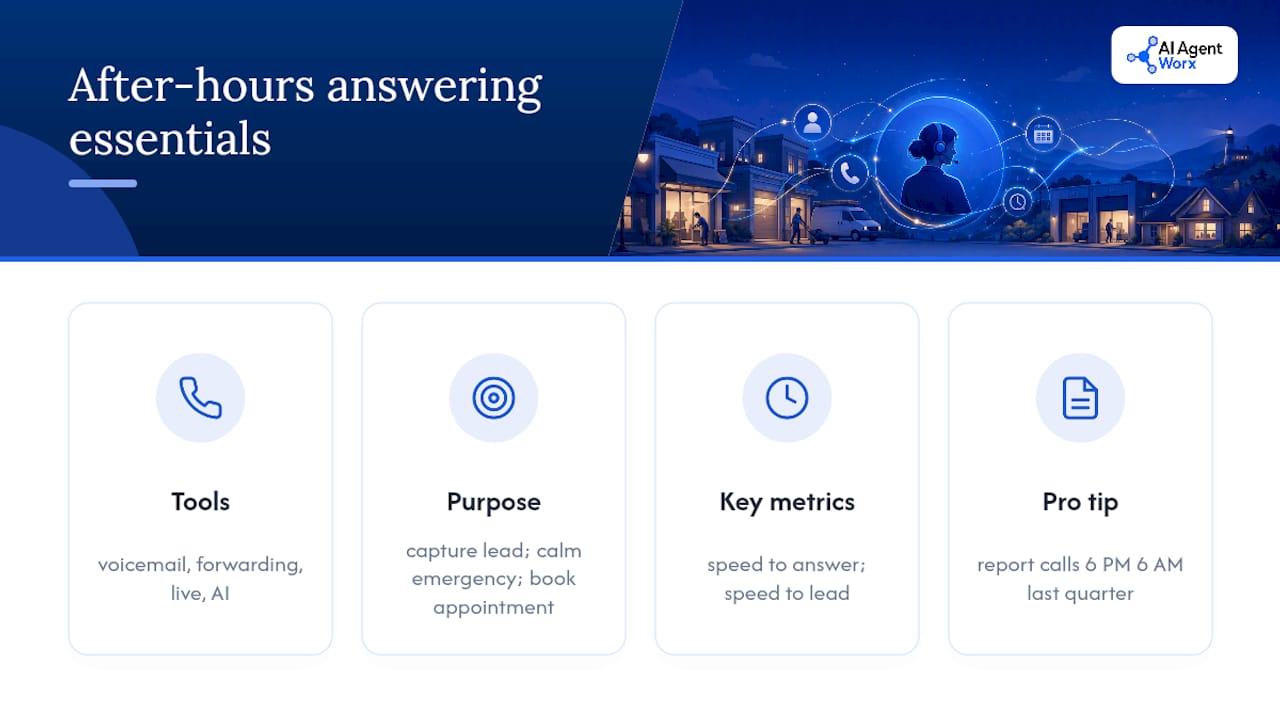
After hours call answering is any system that picks up incoming calls once your office closes, whether that's a voicemail box, a forwarding number, a live answering service, or an AI receptionist. The job is the same no matter the tool: capture the lead, calm down the emergency, or book the appointment before the caller hangs up and dials your competitor.
The businesses that skip this lose money quietly. A caller with a burst pipe at 11 PM does not wait for a callback. They call the next plumber on the list. Speed to answer and speed to lead are the biggest levers on whether an after-hours call turns into revenue, based on research from Moneypenny.
Pro Tip: Pull a report of every call your business received between 6 PM and 8 AM over the last quarter. That single number will tell you more about whether you need coverage than any sales pitch will.
If that report shows a steady trickle of calls you're not answering, you already have your answer.
Voicemail, Live Answering, AI Receptionists, or Hybrid: Which Wins?
Each approach trades cost against conversion, and the right pick usually comes down to call volume and how urgent your calls tend to be.
- Voicemail or call forwarding. Cheapest option by far, but conversion is weak. Most callers who hit a voicemail box simply hang up and try someone else.
- Live human answering. Best for emotionally sensitive or regulated conversations, such as medical intake or legal inquiries. Cost runs per-minute or per-call, which adds up fast at higher volume.
- AI receptionist. Scales without adding headcount, books appointments directly into your calendar, and typically runs on flat-rate pricing that stays predictable no matter how busy the night gets. Salescaptain's guide notes that AI phone agents now handle routine booking and qualification while leaving empathy-heavy calls to people.
- Hybrid workflow. AI handles triage, qualification, and routine bookings, then hands off anything urgent or complex to a live human. This is the setup most SMBs land on once they've tested the alternatives.
Hybrid wins for one simple reason: it matches the tool to the call instead of forcing every caller through the same funnel.
How Do You Set Up After-Hours Coverage?
Setup is a sequence, not a single decision. Skip a step and you'll find out the hard way, usually at 2 AM.
- Audit your call logs. Pull 30 to 90 days of data and let it dictate your coverage windows. Ignitvio's setup guide found that operator-defined windows built from real call data outperform generic 5 PM to 8 AM templates almost every time.
- Write routing rules in plain English. Define what counts as an emergency versus what can wait. A workable rule looks like: "If caller mentions burst pipe, no heat, or gas smell between 10 PM and 6 AM, ring the on-call tech within 60 seconds. Otherwise, book the next emergency slot."
- Draft a short call script. Greeting, identification, three to five qualification questions, and a confirmation line. Keep it tight. Nobody wants to answer ten questions at midnight.
- Connect your systems. Link calendar or dispatch software, your CRM, your phone system, and SMS. If you plan to send bulk text messages, confirm your A2P 10DLC registration is current or your messages may get filtered.
- Run a 72-hour live test. Before you advertise the new number anywhere, test it under real conditions. A structured 72-hour test window reliably surfaces integration bugs and script gaps before customers ever notice them, according to Ignitvio.
Verify your missed-call text-back fires correctly during the test. That fallback is what saves you when a call slips through.
What Does After-Hours Answering Cost, and What's the ROI?
Pricing splits into three basic shapes, and picking the wrong one for your call volume is the most common budgeting mistake SMBs make.
- Per-minute or per-call with minimums. Common for live human services. Costs climb fast with volume, and many providers add night or holiday premiums on top.
- Monthly flat-rate AI plans. Priced by capacity rather than by minute, which removes the shift-differential problem entirely.
- Seat or overflow pricing. You pay for backup capacity that only activates when your main line is busy or closed.
Small-business after-hours-only plans commonly run $135 to $400 a month at typical SMB call volumes. Above a certain call count, flat-rate AI options usually become the cheaper path since price stops scaling with minutes.
To estimate ROI, multiply your average lead value by your typical close rate, then multiply that by the number of additional after-hours leads you expect to capture each month. Even a modest jump in captured leads often covers the monthly service fee within the first few weeks.
Pre-Launch Checklist and the KPIs to Watch After Launch
Before you flip the switch, confirm every piece is documented and connected. Missing one item here is how routing rules misfire on day one.
- Routing rules and emergency categories written out in plain language
- Calendar or dispatch software connected and tested
- CRM field mappings confirmed so lead data doesn't get siloed
- SMS templates drafted for missed-call text-back and booking confirmations
- Voicemail fallback configured in case every other layer fails
Ask any vendor what their uptime guarantee actually covers and what happens operationally when it's not met.
| KPI | What it tells you |
|---|---|
| Speed to answer | How fast a caller reaches a live response, human or AI |
| Speed to lead | How fast a captured lead gets a follow-up |
| Conversion rate | Percentage of after-hours calls turning into booked business |
| Missed-call rate | How many calls still slip through every fallback |
Watch these numbers weekly for the first month. Small errors compound fast when nobody's watching the phone.
How Aiagentworx Builds Your After-Hours Workflow
Reading a setup guide is one thing. Writing 40 routing rules, connecting your CRM, and testing edge cases for three days is another. This service builds the system for you instead of handing you a manual.
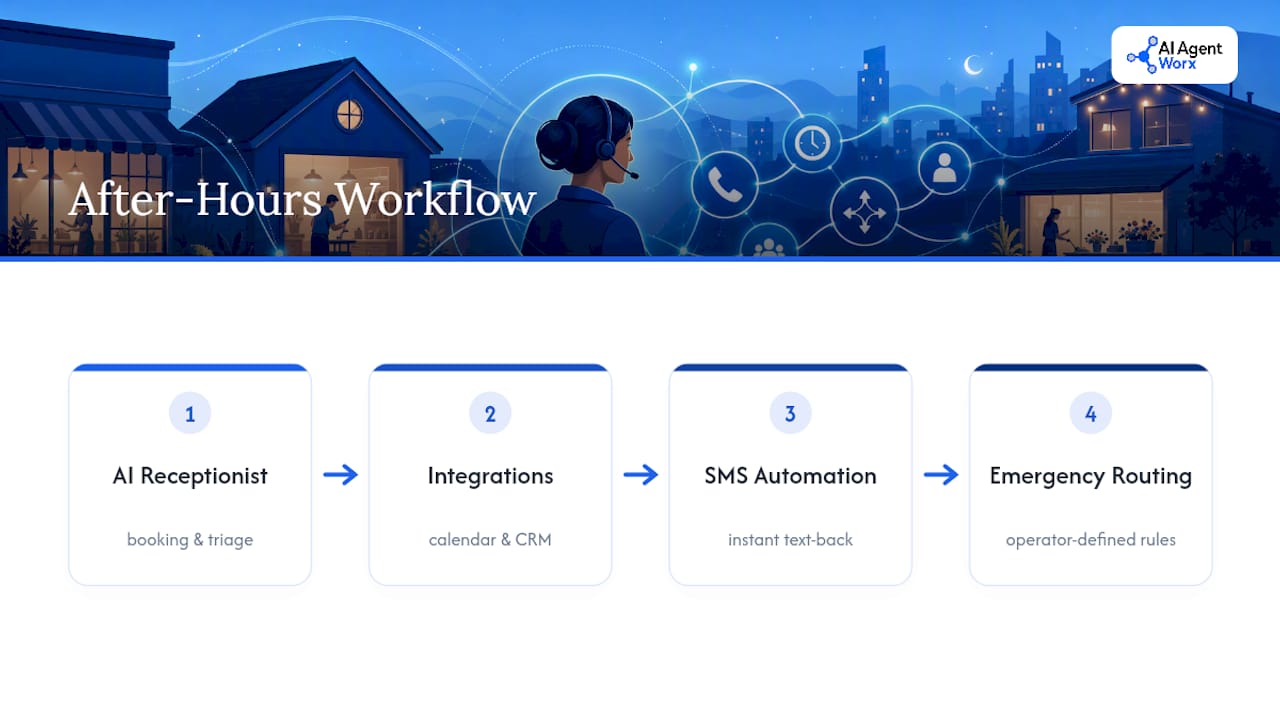
That means a working AI phone receptionist that handles bookings and triage, calendar and CRM integrations so leads never sit in a separate inbox, SMS automation for instant text-back, and routing rules written specifically around your emergency categories rather than a generic template. Hands-on implementation catches the two failures that sink most DIY setups: rules that misfire on real phrasing, and leads that get captured but never reach a human who can close them.
A Conservative Default Beats a Clever One
Most vendors will pitch you on letting the AI "decide" what's urgent. Don't. Written, operator-defined rules beat AI judgment calls every time, because you can audit a rule and you can't audit a guess.
Start narrow: a short pilot window, strict escalation criteria, and a human safety net for anything ambiguous. Widen coverage only after your KPIs prove the system is catching leads correctly, not after a vendor tells you it's ready. Structured testing beats faith in the box every time.
— Brian
Ready to Launch Your After-Hours System?
This provider is an alternative to hiring a night-shift answering team or using self-serve AI tools you must configure yourself. The service includes building routing rules, connecting calendar and CRM, and delivering a tested system rather than just access credentials.

Our discovery call maps your call patterns and busiest after-hours windows, then our team builds the AI phone receptionist, sets up appointment scheduling, and wires it into your CRM so no lead sits in a separate inbox. Most SMB clients go from consultation to a live, tested system in days, not months, including the 72-hour verification window. Once you're live, want to know if your after-hours calls are coming from paid ads? A partner resource like HybridMinds' call tracking guide walks through setting that up.
Book a discovery call through our services page and get a system built around your actual call data, not a template.
Sources
- How to Set Up an After Hours Answering Service
- How to Set Up After Hours Call Answering (2026 Guide)
- After-Hours Answering Service: How to Cover Nights and Weekends Without Hiring a Person
FAQ
What Is After Hours Call Answering?
After hours call answering is any system, human or automated, that handles incoming calls outside your published business hours. It typically captures leads, answers routine questions, or escalates emergencies to an on-call staff member.
How Much Does an After-Hours Answering Service Cost?
Small-business after-hours-only plans commonly run $135 to $400 a month depending on call volume and provider type. Human services often add per-minute charges and night or holiday premiums, while AI options tend to use flat monthly pricing. Aiagentworx pricing is available through a discovery call, since it's built around your specific call volume and integration needs.
How Long Does It Take to Set Up After-Hours Answering?
Basic setup, including routing rules, script writing, and calendar or CRM integration, typically takes days rather than weeks. Plan for a 72-hour live test before advertising the new number publicly to catch integration or script issues early.
Is an AI Receptionist Better Than a Live Answering Service?
Neither wins outright. AI receptionists scale affordably and handle routine bookings well, while live human answering handles emotional or regulated conversations more effectively. Most SMBs get the best results from a hybrid workflow that routes based on urgency.
What Happens If My After-Hours System Misses a Call?
A properly configured system includes a missed-call text-back that follows up by SMS within seconds, plus a voicemail fallback as a second layer. This combination is considered the most reliable protection against vendor outages or routing failures.